Plumbing Scheduling Software in 2026: Dispatch, GPS ETAs & After-Hours Calls
A practical playbook for running dispatch, routing, deposits, and after-hours calls without a whiteboard and a burner phone.
TL;DR
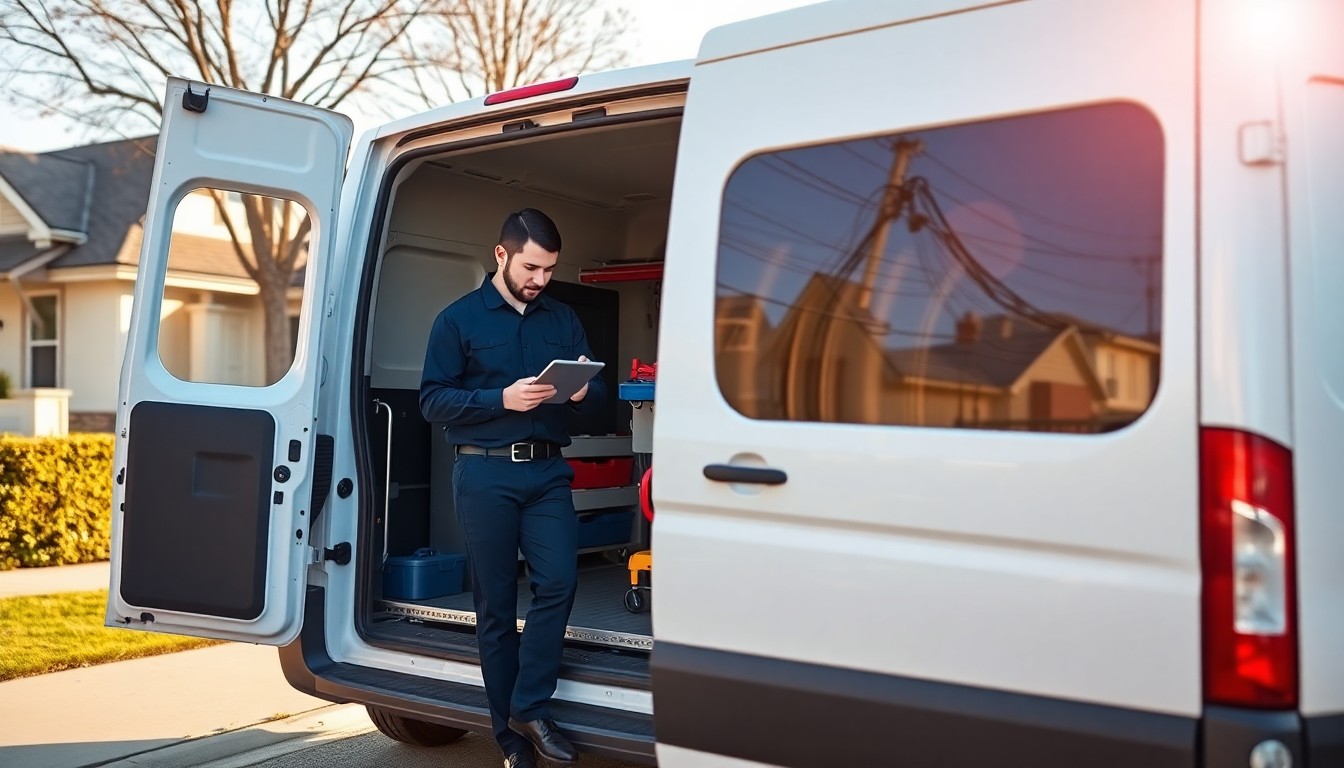
Plumbing is two businesses wearing one truck. Half your day is booked work — water heater swaps, fixture installs, remodels — and the other half is chaos that walks in the door as a flooded kitchen at 4 p.m. The right plumbing scheduling software lets a dispatcher run both from one screen: emergencies get slotted to the nearest truck, scheduled jobs shuffle without a phone tree, deposits protect your material costs, reminders cut no-shows, and an AI receptionist catches the calls that used to hit voicemail after hours.
As of July 2026, GetTimePad bundles the calendar, dispatch board, GPS tracking, payments, automated reminders, and an AI receptionist into one platform starting at $79/mo. This guide walks through how a modern plumbing operation actually uses each piece — and where the money leaks when you do not.
Why plumbers outgrow the whiteboard
Most plumbing shops start with a wall calendar, a shared spreadsheet, or a group text. That works at one or two trucks. The moment you hit three or more technicians, the cracks show:
- Two jobs get double-booked because dispatch and the field cannot see the same calendar.
- An emergency comes in and nobody knows which truck is closest, so the wrong plumber drives across town.
- Customers call asking "where's my plumber?" and the dispatcher has no answer.
- Deposits get skipped, so you eat the cost of a water heater the customer canceled.
- After-hours calls go to voicemail, and the caller books with the next shop on Google.
The U.S. Bureau of Labor Statistics tracks plumbing among the skilled trades with steady demand and a persistent labor shortage (see the BLS Occupational Outlook). When qualified plumbers are scarce, every wasted drive and every missed call is expensive. Software does not replace a good technician — it makes sure the ones you have are pointed at the right job.
Emergency vs. scheduled jobs: running both without whiplash
The defining challenge of plumbing dispatch is that your schedule is never really "set." A calm morning of drain cleanings can be blown apart by one burst supply line. Good scheduling software treats this as normal, not an exception.
Here is how the flow works in practice with a tool like GetTimePad:
- Scheduled work anchors the day. Recurring maintenance, installs, and estimates sit on the smart calendar with time windows and assigned technicians.
- An emergency lands. The dispatcher sees it come in — by phone, online booking, or the AI receptionist — and drops it onto the board.
- The system surfaces the closest truck. Live GPS vehicle tracking shows which plumber is nearest and whether they are wrapping up or mid-job.
- Lower-priority jobs slide. A drain cleaning three hours out can move to tomorrow; the customer gets an automated text offering the new window.
- Everyone stays in sync. The technician's mobile app updates instantly, so nobody drives to a canceled address.
The point is not to eliminate chaos — plumbing will always have emergencies. It is to absorb them in seconds instead of a flurry of phone calls that pull your best dispatcher off everything else.
Dispatch and routing: stop paying for windshield time
Every hour a plumber spends driving is an hour you cannot bill. Dispatch software attacks this in two ways.
First, route management groups nearby jobs so a technician isn't crisscrossing the metro. If you have three service calls in the same suburb, the system helps you sequence them instead of sending the truck back and forth. For multi-truck shops this is where dispatch software pays for itself fastest — see our deeper breakdown in the dispatch software guide.
Second, live tracking means dispatch always knows the truth. When a customer calls asking where their plumber is, the answer is on the screen, not a guess. And when an emergency hits, you assign it to the genuinely closest truck — not the one you think is closest.
For plumbing specifically, GetTimePad's plumber scheduling tools tie the calendar, dispatch board, and GPS together so the person answering the phone and the person turning the wrench are looking at the same reality.
GPS ETAs: the feature customers actually notice
Homeowners with water on the floor do not care about your software stack. They care about one thing: when is someone getting here?
GPS-backed ETAs turn that anxiety into a text message. Instead of a four-hour "the plumber will come sometime this afternoon" window, the customer gets a live heads-up as the truck approaches. This does three things at once:
- Cuts inbound "where are you?" calls, freeing your dispatcher.
- Reduces no-shows on the customer side — people stay home when they know arrival is imminent.
- Feels premium — an accurate ETA is the difference between a one-star "they never showed" review and a five-star "right on time."
Live vehicle tracking is included on GetTimePad's Pro plan ($199/mo) and above. Pair it with automated reminders and you have covered the two biggest sources of scheduling friction in one move.
Deposits: stop financing jobs that cancel
A drain snake is cheap to no-show. A tankless water heater install is not. When a plumbing job carries real material cost — repipes, water heaters, sewer line work, bathroom remodels — you should not be fronting parts for a customer who might ghost you.
Deposits solve this. With payments and deposits built into the booking flow, you can require a deposit before the big job goes on the calendar. It does two things:
- Protects your material spend. The customer has skin in the game before you order the equipment.
- Filters tire-kickers. People who won't put down a deposit were often never going to buy.
The Small Business Administration's guidance on managing your business repeatedly comes back to cash flow as the number-one killer of small operations. For a plumbing shop, deposits on high-ticket work are one of the simplest cash-flow levers you have. GetTimePad includes payments and deposits on the Pro plan and above, so the deposit request happens automatically at booking rather than being an awkward phone conversation.
Reminders and two-way texting: the no-show killer
No-shows are pure waste — a truck rolled, a slot burned, revenue gone. The fix is unglamorous and extremely effective: automated reminders.
GetTimePad sends SMS and email confirmations when a job is booked and reminders before the appointment, on every plan. Customers can confirm or reschedule with a tap, and two-way texting means they can reply with a gate code, a "running late," or a photo of the problem — and your team sees it in the same thread.
We go deep on the mechanics in how to reduce no-shows in a service business, but the short version: a customer who gets a reminder and confirms is far more likely to actually be home when the plumber knocks. For a shop running even a handful of jobs a day, recovering one no-show a week easily covers the software.
The after-hours AI receptionist: catch the midnight leak
Here is the call that quietly costs plumbers the most money: it's 11 p.m., a pipe bursts, the homeowner Googles "emergency plumber near me," calls you first — and gets voicemail. They hang up and call the next number. You never even knew the lead existed.
An AI receptionist closes that gap. GetTimePad's KeyBot answers after-hours and overflow calls, screens whether it's a true emergency or something that can wait until morning, provides basic quoting, and books the job straight onto your calendar. It doesn't sleep, doesn't call in sick, and doesn't put a panicked customer on hold.
For a real comparison of what a bot handles well versus where a human still wins, see AI receptionist vs. human receptionist. The honest answer for most plumbing shops is a blend: humans during the day, AI catching the overflow and the 2 a.m. emergencies that would otherwise become someone else's job. If you'd rather see it in action, GetTimePad also supports voice booking so customers can schedule by phone without ever reaching a person.
What to look for in plumbing scheduling software
Not every "field service" tool fits a plumbing shop. When you evaluate options, check for these specifically:
- Real-time emergency reshuffling, not just a static calendar.
- GPS on the trucks, so ETAs and closest-truck dispatch actually work.
- Deposits at booking for high-ticket jobs.
- Automated SMS reminders and two-way texting included, not a paid add-on.
- After-hours call coverage via an AI receptionist or voice booking.
- A mobile app technicians will actually use in the field.
You can see the full feature set on the product overview or compare approaches on the comparison page.
Plan comparison for plumbing shops
| Capability | Starter — $79/mo | Pro — $199/mo | Agency — $499/mo |
|---|---|---|---|
| Staff included | 1 plumber | Up to 5 | Unlimited |
| Smart calendar & dispatch | Yes | Yes | Yes |
| Online booking & CRM | Yes | Yes | Yes |
| SMS/email reminders & two-way texting | Yes | Yes | Yes |
| Live GPS vehicle tracking | — | Yes | Yes |
| Payments & deposits | — | Yes | Yes |
| AI receptionist (after-hours calls) | — | Yes | Yes |
| Review routing & automations | — | Yes | Yes |
| Multi-location, REST API & webhooks | — | — | Yes |
Annual billing on any plan is two months free — you pay for 10 months and get 12. Full details live on the pricing page.
Putting it together: a day in the life
A four-truck plumbing company opens the day with 14 scheduled jobs on the calendar. By 10 a.m., a commercial customer's supply line fails. The dispatcher drops the emergency onto the board, sees Truck 2 is finishing a job six minutes away, and assigns it. Truck 2's original next stop — a routine faucet install — slides to the afternoon, and that customer gets an automated text with the new window. The emergency customer gets a live GPS ETA and stops calling to ask where the plumber is.
Meanwhile, a homeowner books a $2,400 tankless install online and pays a deposit before the slot locks. At 9 p.m., long after the office closes, someone calls about a water heater leak; the AI receptionist screens it, books a first-thing-tomorrow appointment, and the lead is on the calendar before the on-call plumber even wakes up.
None of this required a whiteboard, a burner phone, or a dispatcher heroically holding it all in their head. That's the whole point.
Frequently asked questions
What is plumbing scheduling software?
Plumbing scheduling software is a field service platform that manages your calendar, dispatches technicians, tracks trucks by GPS, and sends automated reminders so a plumbing company can juggle emergency and scheduled jobs from one screen instead of a whiteboard and text threads. GetTimePad plans start at $79/mo — see pricing.
How much does plumbing scheduling software cost?
GetTimePad is $79/mo Starter for a single plumber, $199/mo Pro for up to five staff (adds GPS tracking, payments and deposits, review routing, automations, and the AI receptionist), and $499/mo Agency for unlimited staff with multi-location and API access. Annual billing gives you two months free. Full details are at pricing.
Can plumbing software handle emergency and scheduled jobs at the same time?
Yes — a good plumbing scheduling system lets a dispatcher drop an emergency call onto the calendar, see which truck is closest by GPS, and reschedule lower-priority scheduled work in a few clicks. GetTimePad combines the calendar, dispatch board, and live vehicle tracking so both job types run side by side.
Can I collect a deposit before a big plumbing job?
Yes. GetTimePad's payments and deposits feature (included on the $199/mo Pro plan and above) lets you request a deposit at booking for repipes, water heaters, or sewer work, so you are not fronting materials for a job the customer might cancel. See pricing for plan details.
Does plumbing scheduling software answer after-hours calls?
GetTimePad includes an AI receptionist (KeyBot) on the $199/mo Pro plan and above that answers after-hours and overflow calls, screens true emergencies, quotes, and books the job straight onto your calendar so leaks at midnight do not go to voicemail. Learn more at /ai-receptionist.
Will scheduling software reduce plumbing no-shows?
Automated SMS and email reminders plus confirmations consistently cut no-shows because customers get a heads-up before the technician arrives and can confirm or reschedule with one tap. GetTimePad sends these automatically on every plan — see features and our no-show guide at /blog/reduce-no-shows-service-business.
Related articles
Water Damage Restoration Scheduling & Dispatch Software (2026 Guide)
2026 guide to scheduling and dispatch software for water damage restoration companies: 24/7 emergency intake, GPS dispatch, multi-day jobs, adjuster comms.
Read article →

HVAC Heat Wave Call Surge: Triage and Dispatch (2026)
2026 HVAC heat wave playbook: priority tiers for no-cool calls, held slots, honest ETAs, paused maintenance, on-call rotation, and a post-surge review.
Read article →
Water Heater Replacement Scheduling for Plumbers (2026)
2026 guide for plumbers scheduling water heater replacements: half-day blocks, same-day no-hot-water calls, permits, haul-away, parts staging, and capacity.
Read article →
Ready to try GetTimePad?
Live demo available. No signup required. Set up in under 5 minutes.
Try Live Demo