Appliance Repair Scheduling Software: The 2026 Buyer's Guide
Two truck rolls per job is the norm in appliance repair. Here's the software built for it.
TL;DR
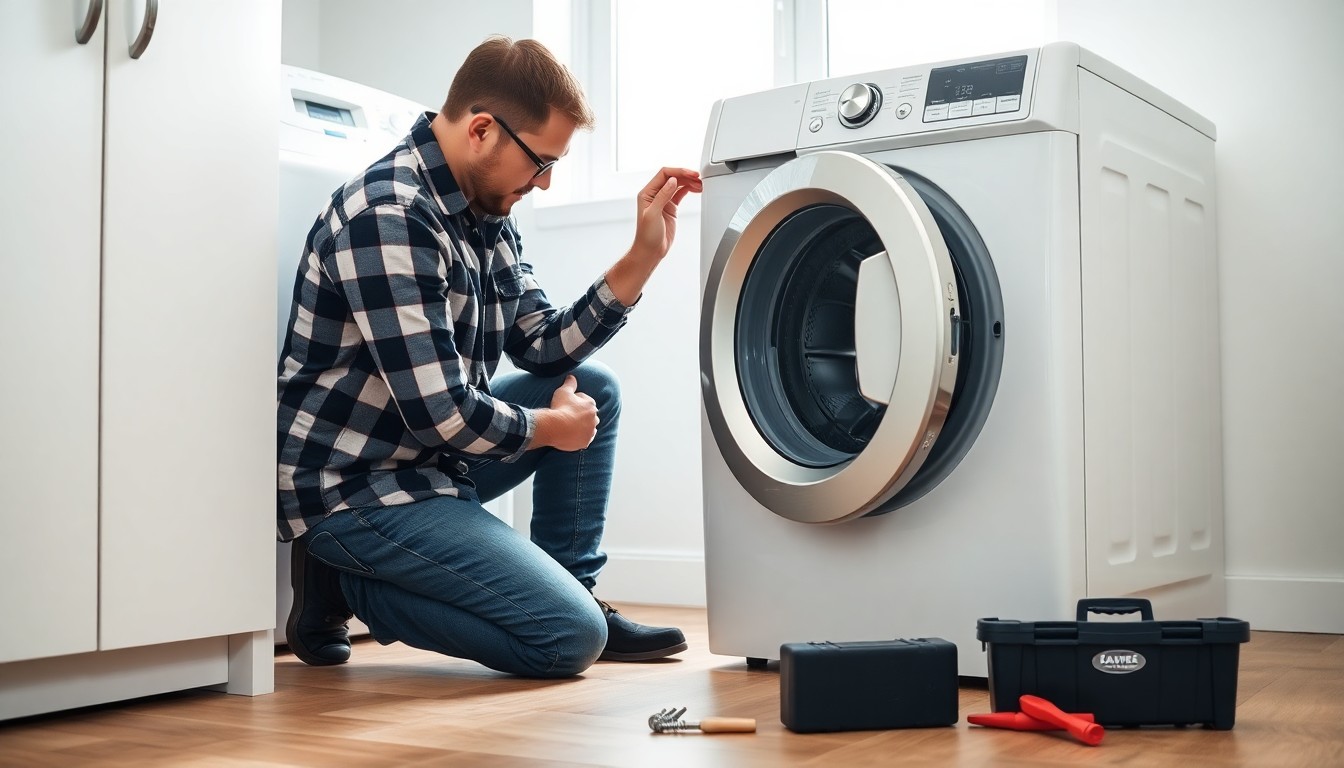
As of July 2026, appliance repair is one of the few trades where two truck rolls per job is normal, not exceptional: a technician diagnoses on the first visit, orders the part, and returns to install it. Generic scheduling tools treat those two visits as unrelated appointments, forcing your office to re-enter the customer, the address, and the appliance details every time. Purpose-built appliance repair software links the visits, dispatches efficiently, shows customers a live GPS ETA, collects a diagnostic fee up front, and answers the booking calls your team can't. GetTimePad bundles all of this — scheduling, dispatch, GPS tracking, reminders, payments, an AI receptionist, and review routing — starting at $79/mo, with the two-visit tools and payments on the Pro plan at $199/mo.
If you run an appliance repair business and your calendar, your dispatch board, your texting, and your invoicing all live in different tools, this guide is for you.
Why appliance repair breaks generic scheduling tools
Most scheduling apps were designed for single-visit services — a haircut, a cleaning, a lawn mow. You book a slot, the provider shows up, the job is done. Appliance repair rarely works that way.
A typical refrigerator or washer call runs like this: the customer books, a tech arrives and diagnoses the fault, the exact part often isn't on the van, so the tech orders it and schedules a return visit once it arrives. That's two appointments, days or weeks apart, for one job — and the office has to keep both connected to the same customer, appliance, and quote.
When your software doesn't understand that pattern, the cracks show up fast:
- The return visit gets booked as a brand-new appointment, so the tech arrives without the diagnostic notes.
- Nobody knows whether the part actually arrived before the truck rolled — a wasted trip.
- The customer gets a generic reminder that doesn't reference their specific machine or the part being installed.
- Revenue leaks because the diagnostic fee was never collected and the customer cancels the second visit.
Field service work is already logistically dense; the U.S. Bureau of Labor Statistics groups installation, maintenance, and repair occupations among the trades where scheduling and travel time are core to profitability (bls.gov). Software that ignores the two-visit reality just moves that complexity onto your office staff.
The two-visit workflow, handled properly
The single most important thing appliance repair software can do is treat the diagnose → order → return cycle as one continuous job, not two disconnected events.
Here's how it should flow in GetTimePad:
- Visit 1 — diagnosis. The customer books online or by phone. The tech is dispatched, arrives, and diagnoses the appliance. Everything — customer, address, appliance model, symptoms — is captured against a single record.
- Parts logged. The tech records the part needed and marks the job as awaiting parts. The office knows exactly which jobs are pending on parts and which are ready to schedule.
- Visit 2 — return with parts. Once the part arrives, you book a linked return appointment. The customer's full history — the original diagnosis, the quote, the address — carries forward automatically. No re-entry, no lost context.
- Completion. The tech marks the job complete, payment is collected, and a review request goes out.
Because the customer record and CRM history persist across both appointments, your recurring and repeat customers are recognized instantly the next time they call — a real advantage for appliance repair shops that build long-term relationships with property managers and landlords. You can see the full workflow on the appliance repair software page.
Dispatch and routing: get the right tech to the right job
Appliance repair techs specialize. One is strong on sealed refrigeration systems; another handles laundry and dishwashers. A good dispatch board lets you assign jobs by skill and by geography so you're not sending your refrigeration expert across town for a dryer belt.
GetTimePad's dispatch and route management gives you a drag-and-drop board where every job moves through clear statuses — Unassigned → Dispatched → En Route → Arrived → In Progress → Completed — so the office always knows where every job stands without calling the tech. Smart, traffic-aware routing tightens the drive time between stops, which for a multi-van operation is the difference between five jobs a day and six.
For dispatch-heavy operations running several trucks, the dedicated dispatch software breakdown covers how status tracking and routing reduce windshield time. If you're comparing platforms broadly, our roundup of the best dispatch software for service companies is a useful next read.
Live GPS ETAs kill the "where's my tech?" call
Nothing burns office time like customers calling to ask when the technician will arrive. And nothing frustrates a customer more than a four-hour window with no updates.
GetTimePad's live GPS vehicle tracking solves both. As the tech drives to the job, the customer receives an automatic en-route text with the technician's name and photo, plus a traffic-aware ETA that updates in real time. The customer knows exactly who's coming and when; your office phone stops ringing with status questions.
This matters more in appliance repair than most trades, because the customer usually has to be home — someone has to let the tech in and point at the broken machine. A precise ETA means they're not stuck waiting all afternoon, which shows up directly in your reviews and repeat-booking rate. Explore how the GPS device and tracking features work end to end.
Reminders and confirmations that cut no-shows
A no-show in appliance repair isn't just a missed slot — it's a wasted truck roll, fuel, and a tech's paid hours. Automated reminders are the cheapest insurance you can buy.
GetTimePad sends automated SMS and email confirmations at booking and reminders before each visit, and supports two-way texting so customers can reply to reschedule instead of ghosting. For the second visit specifically, a "your part has arrived, let's get you booked" message keeps the job moving instead of stalling.
We've written a full playbook on this — how to reduce no-shows in a service business — but the short version is that layered reminders plus an easy reschedule path recover jobs that would otherwise vanish.
Deposits and diagnostic fees: get paid before the truck rolls
Here's a lever appliance repair shops routinely leave unused: collecting a diagnostic fee or deposit at booking. It does two things at once — it filters out tire-kickers who won't actually pay, and it covers your cost of showing up even if the customer declines the repair.
On the GetTimePad Pro plan, integrated payments let you take deposits and diagnostic fees when the appointment is booked, and collect the balance on completion. A customer who has put money down is dramatically less likely to no-show, and you're never eating the cost of a truck roll for free. Payments, deposits, and the two-visit tools all live on Pro at $199/mo.
Let the AI receptionist catch the calls you're missing
The uncomfortable truth of running appliance repair: the calls come in when your techs are elbow-deep in a dishwasher. Every call that hits voicemail is a job that a competitor probably answered.
GetTimePad includes an AI receptionist (KeyBot) on the Pro plan that answers your phone 24/7, describes your services, quotes common jobs, and books appointments straight into your calendar. It never leaves a caller on hold and never misses an after-hours call. Salesforce's research on service organizations has repeatedly found that fast, consistent response is one of the strongest drivers of customer satisfaction (salesforce.com) — and for a small shop, an AI receptionist is often the only way to answer every call.
If you're weighing whether that's good enough versus hiring, our comparison of the AI receptionist vs. a human receptionist walks through the trade-offs. You can also see it in action on the AI receptionist page and the voice booking overview.
Reviews turn finished jobs into new ones
Appliance repair is a trust purchase — customers Google "appliance repair near me" and pick from the businesses with the most, and best, reviews. But most shops forget to ask.
GetTimePad's automated review routing fires a review request by text the moment a job is marked complete, sending satisfied customers to your Google Business Profile. It's a set-it-and-forget-it flywheel: every completed repair becomes a chance to grow the reputation that drives your next booking. Our guide to getting more Google reviews for a service business covers the details.
All-in-one vs. stitching tools together
Plenty of shops run a calendar app, a separate texting service, a GPS hardware subscription, and QuickBooks, all held together by copy-paste. Here's how that stacks up against an integrated platform.
| Capability | Point tools stitched together | GetTimePad (all-in-one) |
|---|---|---|
| Two-visit diagnostic + parts workflow | Manual re-entry each visit | Linked jobs, history carries over |
| Dispatch board with live statuses | Separate app, no GPS link | Built in, Unassigned → Completed |
| GPS tracking + customer ETA texts | Standalone hardware vendor | Included on Pro |
| Deposits / diagnostic fees | Separate payment processor | Integrated payments (Pro) |
| Booking calls answered 24/7 | Voicemail or answering service | AI receptionist (Pro) |
| Review requests after each job | Manual, easily forgotten | Automated routing (Pro) |
| Monthly cost | Often $300+ across vendors | From $79/mo, Pro $199/mo |
The hidden cost of the stitched-together approach isn't the software bills — it's the office hours lost re-keying data and the jobs lost to missed calls and no-shows. The U.S. Small Business Administration emphasizes that operational efficiency is where small businesses win or lose their margin, and consolidating your tools is one of the clearest efficiency plays available.
How to choose your appliance repair software
When you evaluate platforms, insist on these five things:
- Native two-visit handling — the diagnose-then-return flow must be first-class, not a workaround.
- Dispatch with live job statuses and GPS — so the office never has to call a tech for an update.
- Automated customer communication — confirmations, en-route texts, and easy reschedules.
- Integrated payments — deposits and diagnostic fees collected at booking.
- Missed-call coverage — an AI receptionist or booking flow so no lead hits a dead voicemail.
GetTimePad checks all five in a single system. You can start a live demo with no signup and a setup that takes under five minutes, or compare it head-to-head with alternatives on the comparison page and browse the full features list.
Frequently asked questions
What is appliance repair scheduling software?
Appliance repair scheduling software is a field service platform that books jobs, dispatches technicians, tracks trucks by GPS, sends customer reminders, and manages the two-visit diagnostic-then-parts workflow that defines appliance repair. GetTimePad does all of this in one system starting at $79/mo, so your calendar, dispatch, texting, and payments no longer live in separate apps.
How much does appliance repair software cost?
GetTimePad appliance repair software costs $79/mo on Starter (1 staff), $199/mo on Pro (up to 5 staff, adds GPS tracking, payments, deposits, review routing, and the AI receptionist), and $499/mo on Agency (unlimited staff, multi-location, API access). Annual billing gives you two months free. See /pricing for the full breakdown.
How does the software handle a diagnostic visit and a separate parts visit?
GetTimePad lets you complete the first diagnostic visit, log the parts needed, and book a linked return appointment once parts arrive. The customer's history, address, and appliance details carry across both visits automatically, so nothing is re-entered and the returning tech has the original diagnosis on hand.
Can appliance repair software take deposits or diagnostic fees up front?
Yes. On the Pro plan ($199/mo) GetTimePad collects deposits and diagnostic fees at booking through integrated payments, which reduces no-shows and covers your truck-roll cost before the tech leaves the shop.
Can it answer booking calls when my team is on a job?
Yes. GetTimePad includes an AI receptionist (KeyBot) on the Pro plan that answers calls 24/7, quotes, and books appointments directly into your calendar so you stop losing jobs to voicemail. Learn more at /ai-receptionist.
Does appliance repair scheduling software help me get more reviews?
Yes. GetTimePad automatically routes a review request by text after a job is marked complete, sending happy customers to your Google profile — a proven way to grow the online reputation that drives new appliance repair bookings.
Related articles
Appliance Repair Return Visits: Scheduling Guide 2026
2026 guide to the diagnose-then-return appliance visit — ordering the part, booking the return before leaving, diagnostic fees, and backordered parts.
Read article →

Gutter Cleaning Scheduling Software: The 2026 Guide
2026 guide to gutter cleaning scheduling software: seasonal batching, twice-a-year recurring plans, weather rescheduling by text, and online booking.
Read article →

Irrigation & Sprinkler Repair Scheduling Software: The 2026 Operator's Guide
2026 guide to scheduling software for irrigation and sprinkler repair companies: seasonal startup surges, maintenance reminders, route clustering, deposits.
Read article →
Ready to try GetTimePad?
Live demo available. No signup required. Set up in under 5 minutes.
Try Live Demo