Route Optimization for Service Businesses: Cut Windshield Time in 2026
Every hour a tech spends driving is an hour you can't bill — here's how to win those hours back.
TL;DR
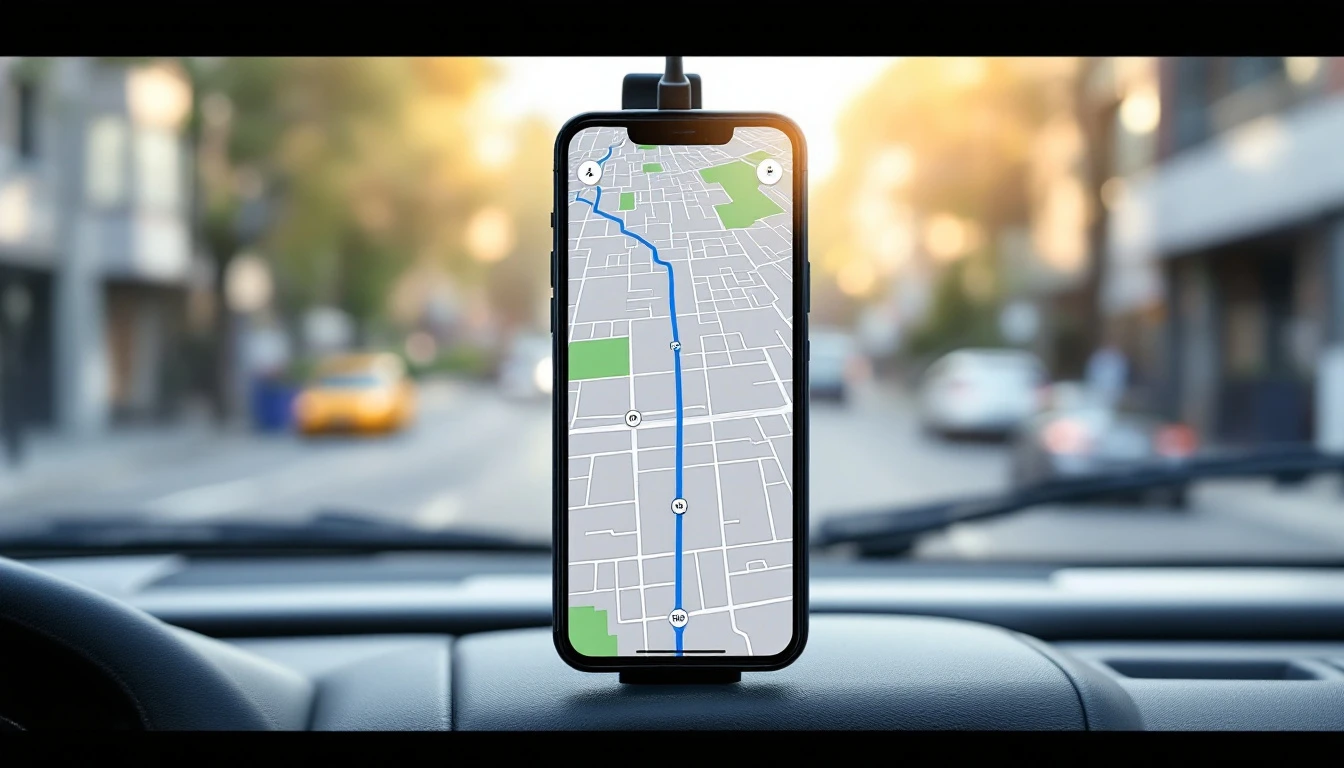
As of July 2026, the biggest hidden cost in most service businesses isn't labor rates or fuel prices — it's windshield time, the unbilled hours technicians spend driving between poorly sequenced jobs. Route optimization fixes that by clustering nearby jobs, sequencing stops to minimize backtracking, and using live GPS dispatch to assign the nearest available tech instead of defaulting to a fixed territory. The strategic point most owners miss: you rarely need a standalone routing tool, because a bundled field-service platform already owns the calendar, GPS, and dispatch that routing depends on. This guide covers the four levers of route optimization — clustering, sequencing, nearest-tech assignment, and live ETAs — and explains why bolting a separate routing app onto a scheduling tool usually costs more and works worse than a platform that does both. GetTimePad bundles routing into the Pro plan at $199/mo.
The math nobody puts on the whiteboard
Ask an owner what their techs cost and they'll quote you an hourly rate. Ask them how many of those paid hours are spent driving, and most have no idea. That gap is where profit hides.
Consider a tech running eight jobs a day. If the route is built by whoever answered the phone first — job in the north end at 9, south end at 10, back north at 11 — the drive time between stops can easily eat two hours of an eight-hour day. That's 25% of a paid day spent behind the wheel producing zero revenue. Tighten the route so nearby jobs are grouped and sequenced, and you might reclaim an hour of that. Across a five-tech crew, five days a week, that's twenty-five hours a week you're no longer paying someone to drive.
The U.S. Bureau of Labor Statistics tracks how service-sector productivity hinges on how time is actually spent, and for a mobile trade, drive time is the single most controllable line item. Fuel matters, but the bigger prize is the labor hour you convert from driving to billing. Route optimization is, at bottom, a labor-utilization play dressed up as a mapping problem.
The four levers of route optimization
1. Cluster jobs by geography, not by phone order
The default failure mode is scheduling in the order calls come in. A customer books Tuesday, so they go on Tuesday — regardless of the fact that they're forty minutes from every other Tuesday job. Over a week, that scatters your work across the map and forces long hops between stops.
Clustering flips the logic. When you can see where jobs are on a map as you book them, you naturally group the west-side jobs on one day and the east-side jobs on another. The smart calendar makes this visible instead of leaving it to memory, so the person booking can slot a new job into the day that already has work nearby. Clustering alone — before you optimize the sequence at all — is often the single biggest drive-time win available.
2. Sequence the stops to kill backtracking
Once jobs are clustered into a day, the order within that day still matters. A route that goes A, D, B, C when the efficient order is A, B, C, D adds miles for no reason. Sequencing means arranging the day's stops so the tech moves through them in a sensible geographic flow rather than doubling back.
This is where dispatch software earns its keep: the dispatcher sees the day laid out and can order the stops to flow cleanly, accounting for time windows the customer requested. The job lifecycle — Unassigned to Dispatched to En Route to Arrived to In Progress to Completed — gives everyone a shared, live view of where each tech is in the sequence, so a slow job early in the day can trigger a re-sequence of what's left.
3. Assign the nearest available tech, not the territorial default
Fixed territories are simple but wasteful. If your north-side tech is booked solid and an emergency comes in on the north side, the rigid answer is to make the customer wait. The optimized answer is to check which qualified tech is actually closest and free right now — even if they normally work a different zone.
Nearest-technician dispatch uses live GPS to make that call in real time. When a same-day or emergency request lands, dispatch can see every tech on a map, spot who's wrapping up nearby, and route them next. It compresses response time and drive distance in the same move. This matters most for trades with unpredictable emergency demand — the kind covered in our best dispatch software breakdown.
4. Broadcast live ETAs so nobody waits blind
Optimization isn't only about the tech's drive — it's about the customer's day. Live GPS with traffic-based ETAs means the homeowner or business gets an accurate arrival window and, ideally, a heads-up text when the tech is en route. That does two things: it cuts the "where's my tech?" calls that pull your office off other work, and it reduces the not-home no-shows that force a second trip. Pairing GPS ETAs with automated reminders turns a routing feature into a no-show-reduction feature.
Why bundled routing beats a standalone tool
Here's the strategic decision most owners get wrong. They buy a scheduling app, then bolt on a separate route optimization app, then wonder why the two never quite agree.
Routing is not an independent function. It depends entirely on three things: where the jobs are (the calendar), where the techs are (GPS), and who's assigned to what (dispatch). A standalone routing tool has none of those natively — it has to import them from your scheduling system, optimize, and export back. Every one of those handoffs is a sync that can lag, break, or drop a job. You end up maintaining two sources of truth about your day, and reconciling them becomes its own chore.
A bundled platform sidesteps the whole problem because the calendar, GPS, and dispatch already live in one system. The routing logic reads live data directly — no import, no export, no reconciliation. When a job moves, the route already knows. When a tech's GPS shows them running late, the sequence updates in the same system that holds the schedule.
| Factor | Standalone routing app | Bundled platform (GetTimePad Pro) |
|---|---|---|
| Data source | Imported from scheduler | Native calendar + GPS + dispatch |
| Sync reliability | Depends on integration | No sync — one system |
| Live GPS included | Usually separate | Included |
| Nearest-tech dispatch | Needs live location feed | Built in |
| Customer ETAs | Often not included | Included, traffic-based |
| Two-way SMS to customer | Separate tool | Unified inbox |
| Monthly cost | Add-on on top of scheduler | $199/mo all-in |
| Sources of truth | Two | One |
The bundled approach also collapses cost. Instead of paying for a scheduler plus a routing subscription plus a GPS service, the Pro plan folds routing, live GPS, dispatch, and customer messaging into one $199/mo line. For a broader look at how these pieces connect, the product overview walks through the full workflow.
A practical rollout: from chaos to clustered
If you're starting from a whoever-called-first calendar, here's a realistic sequence to tighten it.
Week one: get everything on one calendar. You can't optimize what you can't see. Move all bookings — phone, web, repeat customers — onto a single smart calendar so the whole week is visible in one place. Even before any optimization, this alone surfaces the obvious cross-town blunders.
Week two: turn on GPS and watch a week. With the Tech Mode mobile app live, don't change anything yet — just observe. Where are techs actually driving? Which days scatter across the map? The data will make the clustering opportunities obvious.
Week three: cluster new bookings by zone. As new jobs come in, slot them into the day that already has nearby work. This is the highest-leverage habit change and it costs nothing but attention.
Week four: add nearest-tech dispatch for same-day work. For emergencies and same-day adds, start assigning by proximity instead of territory. This is where GPS pays off most directly.
Throughout, lean on the AI receptionist and two-way SMS to keep customers informed without pulling your dispatcher off the map. The SBA's guidance on managing your business makes the general case that operational discipline compounds — routing is one of the clearest places that's true for a mobile trade.
What plan you need
Route optimization capability — live GPS, traffic-based ETAs, nearest-tech dispatch, and the Tech Mode app — lives on the Pro plan ($199/mo, up to five staff). The Starter plan ($79/mo, one staff) covers the smart calendar and booking that clustering depends on, but doesn't include GPS or dispatch, so it's a fit for a solo operator who just wants a tidy schedule rather than a routed crew. Agency ($499/mo, unlimited staff) adds multi-location management, REST API and webhooks, and device management for operations that route across regions.
You can compare the tiers on the pricing page, see how GetTimePad stacks up on the comparison page, and try a live demo with no signup — setup takes under five minutes, and annual billing gives you two months free.
Frequently asked questions
What is route optimization for a service business?
Route optimization for a service business is the practice of sequencing and clustering jobs so technicians drive the least possible distance between them, cutting fuel, labor, and windshield time while fitting more billable stops into each day. It treats drive time as the controllable cost it actually is, rather than an unavoidable fact of mobile work.
How much time can route optimization actually save?
Realistic gains come from tightening the daily route so techs aren't crisscrossing town — even trimming a handful of miles between each of six or eight stops compounds into a meaningful chunk of a workday reclaimed for billable work rather than driving. The biggest single win usually comes from clustering jobs by zone before you ever optimize the sequence within a day.
What is nearest-technician dispatch?
Nearest-technician dispatch uses live GPS to assign an incoming or emergency job to whichever qualified tech is physically closest and available, instead of defaulting to a fixed territory, which shrinks response time and drive distance at the same time. It's especially valuable for trades with unpredictable same-day and emergency demand.
Do I need standalone route optimization software?
For most service businesses a standalone routing tool is redundant because bundled field-service platforms already combine the calendar, GPS, and dispatch that routing depends on — a separate tool means paying twice and stitching two systems that disagree about where jobs and techs actually are. A platform that owns all three data sources routes off live data with no sync to break.
How much does route optimization software cost in 2026?
With GetTimePad, routing capability comes bundled into the Pro plan at $199/mo for up to five staff — Starter is $79/mo and Agency is $499/mo for unlimited staff — so you're not paying for a separate routing subscription; see pricing for the full breakdown. Annual billing gives you two months free, and add-ons let you scale seats or SMS without changing tiers.
Does route optimization work without GPS hardware?
Yes — GetTimePad's live GPS runs through the Tech Mode mobile app on each technician's phone, so you get real-time locations and traffic-based ETAs without buying or installing dedicated GPS hardware, though device add-ons are available if you want them. For most crews the phone-based approach is enough to power clustering, nearest-tech dispatch, and customer ETAs from day one.
Related articles

How to Set Service Area Boundaries in 2026
2026 guide to drawing a service area by drive time, grouping zones into days, and turning down out-of-area jobs without losing goodwill.
Read article →

Dispatch KPIs for Service Businesses, The 2026 Monday Morning List
2026 guide to the dispatch KPIs worth checking every Monday, how to compute each from what your scheduling system already records, and the lever that moves it.
Read article →
Junk Removal Scheduling Software: The 2026 Buyer's Guide
2026 guide to junk removal software: volume-based quoting, same-day dispatch, route density, deposits, GPS crew tracking, and online booking.
Read article →
Ready to try GetTimePad?
Live demo available. No signup required. Set up in under 5 minutes.
Try Live Demo