Text Message Appointment Reminders: How GetTimePad Works
Every business that books appointments faces the same costly problem: customers forget. A missed appointment means lost revenue, wasted staff time, and a scramb

Every business that books appointments faces the same costly problem: customers forget. A missed appointment means lost revenue, wasted staff time, and a scramble to fill the calendar gap. For service businesses operating on tight schedules—salons, clinics, consulting firms, home services—even a handful of no-shows each week can undermine profitability.
Text message appointment reminders are designed to solve this challenge by delivering timely notifications directly to customers' mobile phones, where open rates far exceed email. GetTimePad is scheduling software that can be configured to send automated text reminders, helping businesses reduce no-shows while freeing staff from repetitive manual follow-up calls.
Whether you manage a dental practice, a pet grooming salon, or a consulting firm, automated reminders can help protect your revenue and improve the customer experience. Book a demo to see how GetTimePad's reminder capabilities can fit your workflow.
Quick Answer: What Are Text Message Appointment Reminders?
Text message appointment reminders are automated SMS notifications sent to customers before scheduled appointments. Depending on your setup, these messages typically include the appointment date, time, location, and instructions for confirming or rescheduling.
Unlike email reminders—which often land in spam folders or go unread for hours—text messages reach customers instantly on the devices they check dozens of times per day. Mobile communication has become a primary channel for customer engagement across service industries.
Most scheduling platforms allow businesses to customize reminder timing (24 hours before, one week before, or multiple touchpoints), message content, and confirmation options. The goal is simple: ensure customers remember their appointments without requiring manual phone calls from your staff.
The Cost of No-Shows and Forgotten Appointments
The financial impact of missed appointments extends beyond the obvious empty time slot. When a customer doesn't show, you lose the direct service revenue, but you also lose the opportunity cost—you could have booked another customer in that slot. Staff scheduled for that appointment still need to be paid. Supplies prepared for the service may go unused.
Service-based small businesses operate on margins where even modest efficiency gains translate to meaningful bottom-line improvement. For a business booking 20 appointments per week at an average value of $150, a no-show rate of just 10 percent represents about $1,300 in monthly lost revenue—$15,600 annually.
Beyond the direct financial cost, no-shows create operational chaos. Staff sit idle or scramble to fill gaps. Customers on waiting lists miss opportunities because you weren't notified in time. The cumulative effect drains morale and forces you to overbook—which creates its own problems when everyone does show up.
Text message appointment reminders are designed to address this challenge at the source: they reach customers where they're most likely to see the message, with enough advance notice to confirm, reschedule, or cancel. By reducing no-shows even modestly—from 10 appointments per month to five—a business can recover thousands of dollars in annual revenue.
How GetTimePad Text Message Appointment Reminders Work
GetTimePad is appointment scheduling software that can be configured to send automated text reminders as part of your booking workflow. While specific features depend on your setup, the general process is designed to integrate with your existing scheduling and customer communication.
When a customer books an appointment—whether through an online booking page, over the phone, or via another channel—the appointment details are captured in the system. Depending on how you configure your reminder settings, GetTimePad can be set to send one or more SMS notifications at intervals you specify: 48 hours before, 24 hours before, or even one hour before the appointment.
Each text message typically includes the essential details: customer name, appointment date and time, service description, and business location. Messages can be configured to include a confirmation link or reply option, allowing customers to confirm their attendance or indicate they need to reschedule—all without picking up the phone.
Because the process is automated, your staff doesn't need to manually review calendars, dial phone numbers, or track who has been reminded. The system handles the outreach, and staff only step in when a customer needs to make a change. Get started with GetTimePad to explore how automated reminders can streamline your workflow.
For businesses that already use online appointment scheduling, adding text reminders is a natural next step. The same system that captures the booking can send the reminder, creating a seamless customer experience from first click to service delivery.
Key Features of Text Message Appointment Reminders
The most effective reminder systems share several core capabilities, and GetTimePad is designed to support these depending on your configuration:
- Automated scheduling: reminders are sent at intervals you define without manual intervention, ensuring no customer is overlooked.
- Customizable timing: configure reminders for 24 hours, 48 hours, one week, or multiple touchpoints leading up to the appointment.
- Personalization: messages can be configured to include customer name, service type, staff member name, and appointment-specific details.
- Confirmation options: depending on setup, customers may be able to confirm, reschedule, or cancel by replying to the text or clicking a link.
- Calendar integration: reminders sync with your scheduling calendar, automatically adjusting if an appointment is rescheduled or canceled.
- Staff notifications: your team can be notified when a customer confirms, cancels, or requests a change, enabling quick follow-up.
Some businesses benefit from layering text reminders with email or calendar invitations, creating multiple touchpoints to reduce the chance a customer forgets. GetTimePad can be configured to support multi-channel reminder strategies depending on your communication preferences.
If your business handles recurring appointments, automated reminders become even more valuable. Rather than manually confirming each occurrence, the system can send reminders for every appointment in a series, maintaining consistent communication without added staff effort.
Who Benefits from Text Message Appointment Reminders?
Text message appointment reminders are valuable for any business where customers book time in advance and no-shows carry a cost. The following industries benefit from automated SMS reminders:
Healthcare and wellness: medical offices, dental practices, chiropractors, physical therapists, and mental health counselors operate on tight schedules where no-shows disrupt care continuity and reduce daily revenue.
Beauty and personal care: salons, barbershops, spas, nail studios, and estheticians depend on consistent appointment flow. Because services are often scheduled weeks in advance, reminders help customers stay on track.
Professional services: consultants, attorneys, accountants, financial advisors, and coaches book appointments that require advance preparation. A last-minute no-show wastes not only the meeting time but also the prep work.
Home and field services: HVAC technicians, plumbers, electricians, cleaners, and contractors schedule appointments at customer locations. Missed appointments mean wasted travel time and fuel costs.
Education and tutoring: music teachers, academic tutors, language instructors, and test-prep coaches benefit from reminders that reduce last-minute cancellations and keep students progressing on schedule.
For businesses that use two-way texting to communicate with customers, text reminders can be part of a broader SMS engagement strategy. The same channel used for reminders can handle customer questions, confirmations, and follow-up, creating a unified communication experience.
GetTimePad vs. the Alternatives: An Honest Comparison
When evaluating text message appointment reminder solutions, you'll encounter several categories of tools. Understanding the trade-offs helps you choose the right fit for your business.
Standalone SMS platforms like Twilio or SimpleTexting offer powerful messaging capabilities but require integration work to connect with your calendar. If you have developer resources or use a platform that already integrates with these services, they can be cost-effective. However, for most small businesses, managing separate systems for scheduling and messaging adds complexity.
All-in-one practice management suites (common in healthcare, legal, and wellness) often include built-in reminders as part of a broader software package. These solutions offer deep vertical functionality but may come with higher costs and longer onboarding timelines. They're ideal if you need industry-specific features like patient portals, billing codes, or compliance workflows.
Dedicated scheduling platforms like GetTimePad are designed to support appointment reminders as part of a streamlined booking experience. The advantage is simplicity: your calendar, online booking, and reminders live in one system, reducing the need to manage multiple logins or data syncs. GetTimePad can be configured for businesses that want straightforward reminder functionality without the overhead of a full practice-management suite.
Free or low-cost calendar tools (Google Calendar, Outlook) offer basic reminder features, but they typically rely on email and lack SMS delivery, customization, and confirmation workflows. They're a starting point but don't scale well as appointment volume grows.
The honest answer: the best solution depends on your business size, technical comfort, and whether you need reminders as part of a broader scheduling or management system. For businesses seeking an integrated approach—where booking and reminders are managed in one place—GetTimePad is designed to deliver that without unnecessary complexity. Book a demo to compare how GetTimePad's capabilities align with your specific workflow.
Getting Started with Text Message Appointment Reminders
Implementing automated text reminders is typically straightforward, especially if you're already using scheduling software. The process generally follows these steps:
Evaluate your current scheduling setup: if you're using paper calendars, spreadsheets, or email threads to manage appointments, you'll need to adopt scheduling software that supports SMS reminders. If you already use a digital calendar, check whether it integrates with SMS services.
Choose a platform that fits your needs: look for software that combines scheduling and reminders in one system, minimizes the need for technical setup, and offers the customization you need (timing, message content, confirmation options). If you're comparing options, consult a scheduling software buyer's checklist to ensure you evaluate the features that matter most.
Configure your reminder settings: decide when to send reminders (24 hours before is common, but some businesses benefit from multiple touchpoints), what information to include, and how customers can respond. GetTimePad is designed to support flexible configuration depending on your preferences.
Import your customer and appointment data: if you're migrating from another system, you'll typically import your existing customer list and scheduled appointments. Most platforms offer CSV import or direct integrations to ease the transition.
Test with a small group: before rolling out reminders to your full customer base, send test messages to a handful of appointments to confirm the content, timing, and response flow work as expected.
Monitor and refine: after launching, track metrics like confirmation rates, cancellation lead time, and no-show reduction. Adjust your reminder timing or message content based on what drives the best results.
For businesses that struggle with phone tag and missed calls, adding text reminders is often part of a broader shift toward mobile-first customer communication. The same infrastructure that sends reminders can handle inbound text inquiries, confirmations, and follow-ups, creating a more responsive experience.
Frequently Asked Questions
How much do text message appointment reminders cost?
Pricing varies by platform and message volume. Contact GetTimePad for current pricing details specific to your business size and reminder needs.
Can customers reply to appointment reminder texts?
Depending on your setup, GetTimePad can be configured to allow customers to confirm, reschedule, or cancel via text reply.
How far in advance should I send appointment reminders?
Most businesses send reminders 24 hours before the appointment. Some add a second reminder one week in advance for longer lead-time bookings.
Are text message reminders compliant with messaging regulations?
Businesses sending commercial texts should follow Federal Trade Commission telemarketing and texting guidelines. GetTimePad is designed to support compliance depending on how you configure opt-in and message content.
What happens if a customer's phone number changes?
If a text fails to deliver, the system typically logs the error. Your staff can follow up by phone or email to update contact information and ensure the customer receives future reminders.
Can I customize the content of reminder messages?
Yes—GetTimePad can be configured to personalize messages with customer name, service details, appointment time, and custom instructions or branding.
Do text reminders work for recurring appointments?
Yes—automated reminders can be set to send before each occurrence in a recurring series, ensuring consistent communication without manual effort.
What if a customer doesn't have a mobile phone?
You can configure fallback reminders via email or use phone calls for customers who prefer or require voice communication.
Ready to Reduce No-Shows and Reclaim Lost Revenue?
Text message appointment reminders are one of the most cost-effective tools available to service businesses. By reaching customers on the devices they check constantly, you reduce no-shows, improve schedule efficiency, and free your staff from repetitive reminder calls.
GetTimePad is designed to make automated reminders simple: integrate them with your scheduling workflow, customize timing and content to fit your business, and let the system handle the outreach so you can focus on delivering great service. Whether you run a solo practice or manage a multi-location team, automated reminders can help you protect revenue and create a smoother customer experience.
Get started with GetTimePad today and see how text message appointment reminders can transform your scheduling workflow—without the complexity or cost of enterprise software.
Related articles
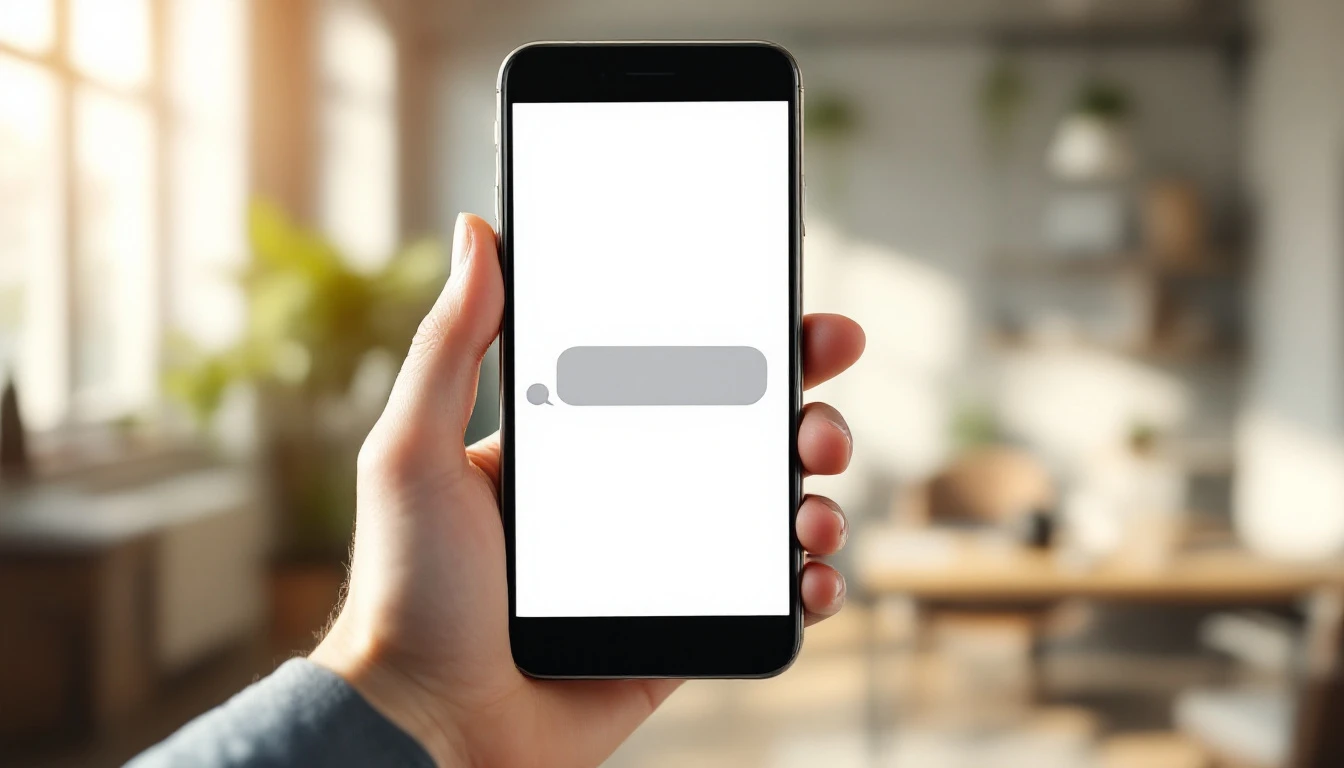
Appointment Reminder Text Templates: 2026 Copy-Paste Library
2026 library of copy-paste appointment reminder text templates for service businesses: confirmations, 24h, en-route, day-of, reschedule, and review asks.
Read article →

Arrival Time Windows: How Wide to Promise and How to Keep Them in 2026
2026 guide to arrival windows: choosing a width you can resource, why late slots need wider windows, and measuring compliance from real timestamps.
Read article →
Two-Way Texting for Service Businesses: The 2026 Playbook
2026 guide to two-way texting for service businesses: confirmations, en-route texts, reschedule-by-text, consent and opt-out basics, and one CRM thread per customer.
Read article →